Please fill out the form below to request a quote or to request more information about us. please be as detailed as possible in your message, and we will get back to you as soon as possible with a response. we're ready to start working on your new project, contact us now to get started.
Exporting glass-processing machinery since 2002, with international project support from planning to installation and training.
Troubleshooting for Optimal Output from Your CNC Glass Cutting Machine
2026-08-23
SANKEN
35
The CNC glass cutting machine is an essential part of modern glass manufacturing, capable of producing intricate, precise, and professional-quality cuts. However, like any high-tech machinery, it can encounter issues that affect its performance and output. This article provides a comprehensive guide on how to troubleshoot common problems, ensuring your CNC glass cutting machine operates at its best. Whether you're facing issues with cutting accuracy, inconsistent paths, overheating, or malfunctioning tools, we will walk you through the steps to resolve these issues efficiently.
Common Issues and Symptoms
Poor Cutting Accuracy
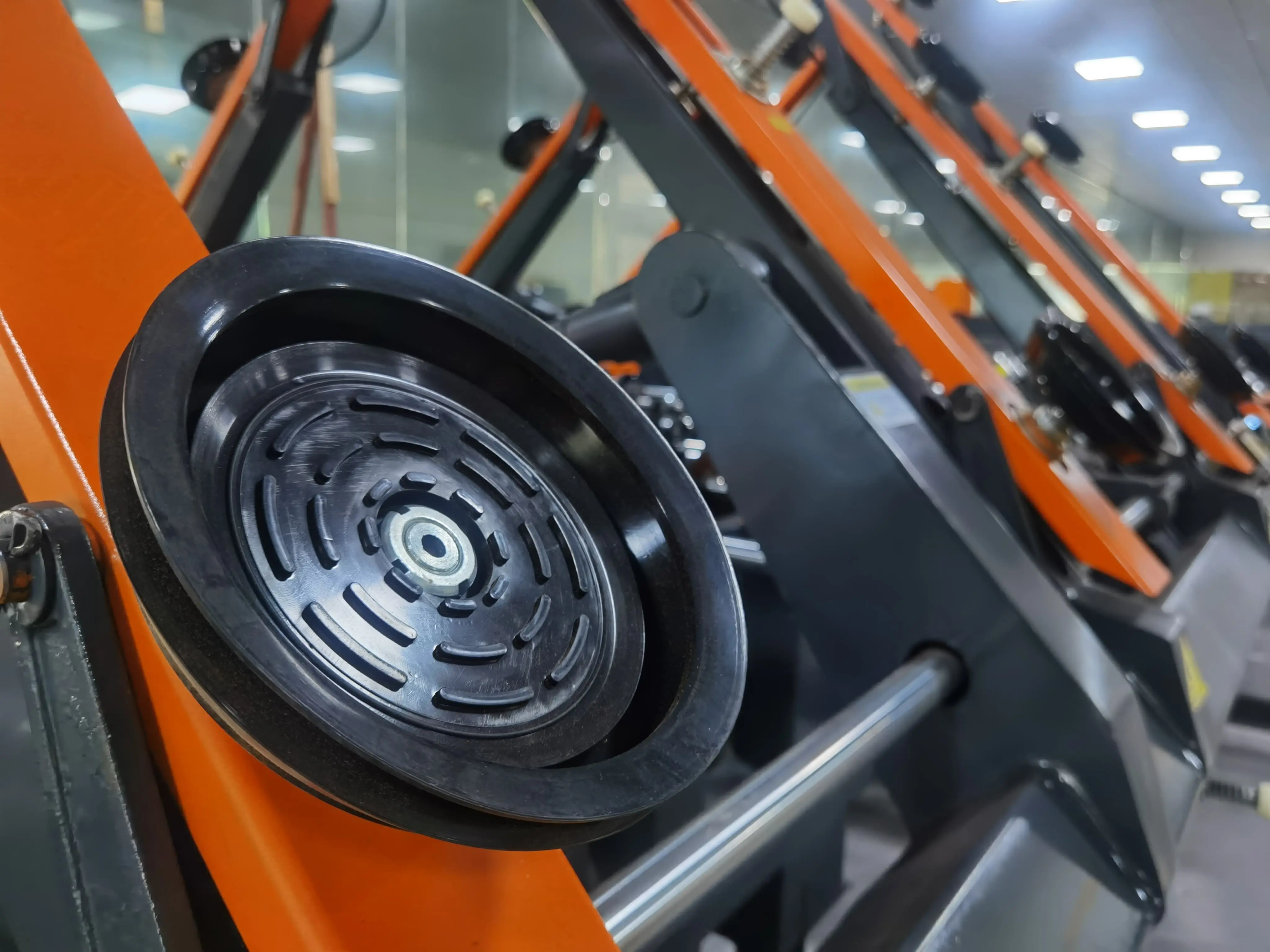
Poor cutting accuracy can result in jagged edges, inconsistent cuts, and misaligned parts. Common symptoms include poor edge quality, uneven scores, and inaccurate part placement.
Inconsistent Cutting Paths
Inconsistent cutting paths can lead to erratic tool movement and distorted designs. Indicators include irregular shapes, misaligned cuts, and misaligned tool paths on the glass sheets.
Overheating
Overheating can cause the machine to shut down unexpectedly or produce poor-quality cuts. Signs of overheating include excessive heat buildup around the machine, excessive tool wear, and uneven cutting surfaces.
Malfunctioning Tools
Malfunctioning tools such as drills, cutters, and polishing wheels can result in damaged parts and production delays. Symptoms include noisy operation, excessive sparking, and uneven cutting surfaces.
Troubleshooting Steps
Improving Cutting Accuracy
Step 1: Check Tool Sharpness and Wear- Sharpness: Ensure that all tools are sharp and in good condition. Dull tools can cause inaccuracies in cutting paths and poor edge quality.
- Wear Levels: Regularly inspect tools for wear and tear. Replace worn or damaged tools to maintain high accuracy.
Step 2: Adjust Cutting Pressure- Adjustment: Use the control software to adjust the cutting pressure settings. Higher pressure can compensate for worn tools and improve edge quality.
- Balancing Pressure: Ensure that the cutting pressure is consistent across all parts of the machine to prevent uneven cut marks.
Step 3: Verify CAD/CAM Settings- Review Designs: Check the digital blueprints for errors or inconsistencies in geometry.
- Tool Path Adjustments: Use the software to adjust tool paths and ensure they align properly with the glass surface.
Handling Inconsistent Cutting Paths
Step 1: Calibrate Machine Axes- Axis Calibration: Perform an axis calibration to ensure the machine's movements are precise and accurate.
- G-Code Review: Check and adjust G-code parameters to correct any errors in the tool paths.
Step 2: Verify Linear Bearings- Inspect Bearings: Ensure that all linear bearings are lubricated and in good condition. Loose or worn bearings can cause inconsistent movement.
- Replacements: Replace worn or damaged bearings immediately to ensure smooth operation.
Step 3: Adjust Drive System Parameters- Torque Settings: Review and adjust the motor torque to compensate for any imbalances or misalignments in the drive system.
- Encoder Calibration: Calibrate the encoders to ensure accurate position tracking.
Preventing Overheating
Step 1: Check Cooling System- Coolant Supply: Verify that the coolant supply is adequate and flows smoothly to each cutting tool.
- Coolant Flow: - Flow Rate: Adjust the coolant flow rate to ensure consistent cooling throughout the operation.
- Temperature Sensors: Ensure that temperature sensors are functional and accurately monitor machine temperatures.
Step 2: Inspect Machine Enclosures- Ventilation: Check that the machine's ventilation systems are functioning properly.
- Clean Enclosures: Regularly clean the machine's enclosures to ensure proper airflow and reduced dust accumulation.
Step 3: Monitor Machine Load- Operational Load: Adjust the machine's operation to avoid continuous heavy tool loads that can cause overheating.
- Cooling Periods: Incorporate cooling periods between operations to allow the machine to cool down.
Fixing Malfunctioning Tools
Step 1: Inspect Tooling- Tool Examination: Regularly inspect all tools for signs of wear, damage, or contamination.
- Tool Cleaning: Clean and lubricate tools to remove any buildup of glass dust or residues.
Step 2: Adjust Tool Positions- Tool Alignment: Verify that all tools are properly aligned with the machine's axes and tool holders.
- Tool Replacement: Replace worn or damaged tools immediately to avoid further damage.
Step 3: Check Tool Changes- Automatic Tool Change: Ensure that the machine's automatic tool change system is functioning correctly.
- Manual Insertion: If using manual tool insertion, ensure that each tool is tightly secured in the spindle.
Step 1: Verify Safety Protocols- E-Stop Function: Ensure that the emergency stop (E-Stop) function is functional and responsive.
- Safety Shields: Check that all safety shields and guards are in place and functioning correctly.
Step 2: Check Safety Sensors- Sensor Maintenance: Regularly clean and inspect all safety sensors for proper operation.
- Wiring and Connections: Verify that all safety wiring and connections are secure and functioning.
Fixing Unstable Motor or Servo Mechanisms
Step 1: Motor Calibration- Motor Adjustment: Adjust the motor parameters to ensure consistent speeds and pressures during operation.
- Encoder Correlation: Correlate motor encoder signals with machine movements to ensure smooth operation.
Step 2: Check Servo Feedback- Servo Feedback: Review feedback signals from servo motors to ensure they are functioning correctly.
- Servo Settings: Adjust servo settings to compensate for any irregularities in motor performance.
Resolving Software Issues
Step 1: Software Updates- Software Versions: Ensure that all machine control software is up-to-date.
- Error Logs: Review error logs and update the software to resolve any errors or bugs.
Step 2: Restart the Machine System- System Restart: Reboot the machine control system to clear any temporary glitches or faults.
- Software Resets: If necessary, reset the machine software to default settings and reconfigure.
Dealing with Electronic Components
Step 1: Diagnose Electronic Issues- Diagnostic Tools: Use diagnostic tools and software to identify any electronic faults or faults in the control system.
- Component Inspection: Inspect electronic components for signs of damage or wear.
Step 2: Replace Faulty Components- Component Replacement: Replace any faulty electronic components immediately to avoid further issues.
- Wiring Connections: Check all wiring connections for loose or damaged cables.
Maintenance Tips for Ensuring Optimal Performance
Regular Tool Maintenance and Replacement
- Tool Health: Regularly check the health of all tools and replace them promptly.
- Tool Cleaning: Clean tools thoroughly to remove glass dust and debris.
- Tool Lubrication: Lubricate tools to reduce friction and prolong their lifespan.
Cleaning and Lubrication
- Machine Cleaning: Regularly clean the machine to remove dust and debris.
- Lubrication Points: Lubricate all moving parts to ensure smooth operation.
Filter and Dust Collection
- Air Filters: Replace air filters regularly to maintain clean air flow.
- Dust Extraction: Use efficient dust extraction systems to remove fine particles.
Calibrating the SANKEN CNC Glass Cutting Machine
Calibration Steps:1. Align Axes: - Manual Alignment: Manually align each axis to ensure precise positioning.
- Encoder Calibration: Calibrate the encoders to ensure accurate position tracking.
- Tool Calibration:
- Tool Offset: Set the tool offsets for each tool to match their actual dimensions.
Tool Coordinate Calibration: Calibrate the tool coordinates to match the CAD/CAM designs.
Mechanical Adjustments:
- Drive System: Adjust the drive system parameters to ensure smooth operation.
Motor Torque: Ensure the motor torque is balanced across all axes.
System Calibration:
- System Check: Perform a full system calibration to ensure all components are functioning correctly.
- E-Stop Test: Test the emergency stop function to ensure it is fully operational.
Table of Contents
- 1.3Overheating
GET IN TOUCH WITH Us
recommended articles
SANKEN Glass Machinery is a Guangzhou-based manufacturer and international supplier of glass-processing machinery and complete production-line solutions.
Useful Links
Products
Contact Us
Contact: Dalia Qiu
Tel: +86 15994813914
Landline: +86-20-82347228
Email: sales@sankenglass.com
WhatsApp: +86 15994813914
ADD: No.2, Xinghai Road, Lanhe, Nansha District, Guangzhou City, China. P.C 511480
Copyright © 2026 Guangzhou Sanken Glass Machinery Co., Ltd.| Sitemap